1. Abstract
After purchasing a VPS (Virtual Private Server), many users want to benchmark and compare its actual network quality. In this article, I will provide a direct guide to the most essential VPS testing tools and demonstrate exactly how to use them effectively.
2. How to Use VPS Testing Tools
To begin, log in to your server via the console provided by your VPS vendor. Once you have established an SSH connection, simply input the testing tool's script commands to start the benchmark. Alternatively, you can use a remote terminal emulator (such as MobaXterm) to log in using your IP address and credentials for testing.
3. Comprehensive VPS Performance Scripts
3.1 Superspeed
This is a highly popular script developed by a well-known blogger in the community, "Old Ghost" (Lao Gui). Superspeed is specifically designed to test the network speed from your VPS server to various major nodes in Mainland China.
Code Block:
wget https://raw.githubusercontent.com/oooldking/script/master/superspeed.sh
chmod +x superspeed.sh
./superspeed.sh
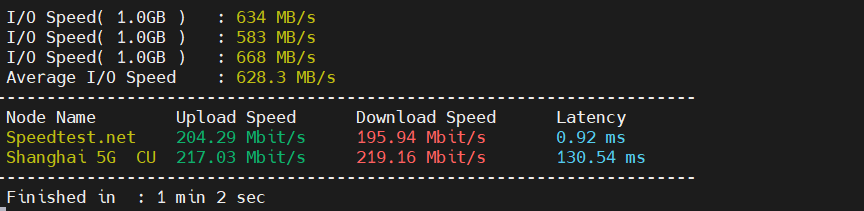
Actual demonstration (for reference only):
Here is the professional English translation for Step 3.2:
3.2 ZBench
This is one of my personal favorite testing scripts, co-developed by the community experts "Loushui" and "Kirito." ZBench is essentially an upgraded version of SuperBench and is available in both Chinese and English versions. It performs a comprehensive suite of VPS performance tests and generates a detailed evaluation report upon completion.
wget -N --no-check-certificate https://raw.githubusercontent.com/FunctionClub/ZBench/master/ZBench-CN.sh && bash ZBench-CN.sh
wget -N --no-check-certificate https://raw.githubusercontent.com/FunctionClub/ZBenZBench.sh
实际演示(仅供参考):

3.3 Bench.sh
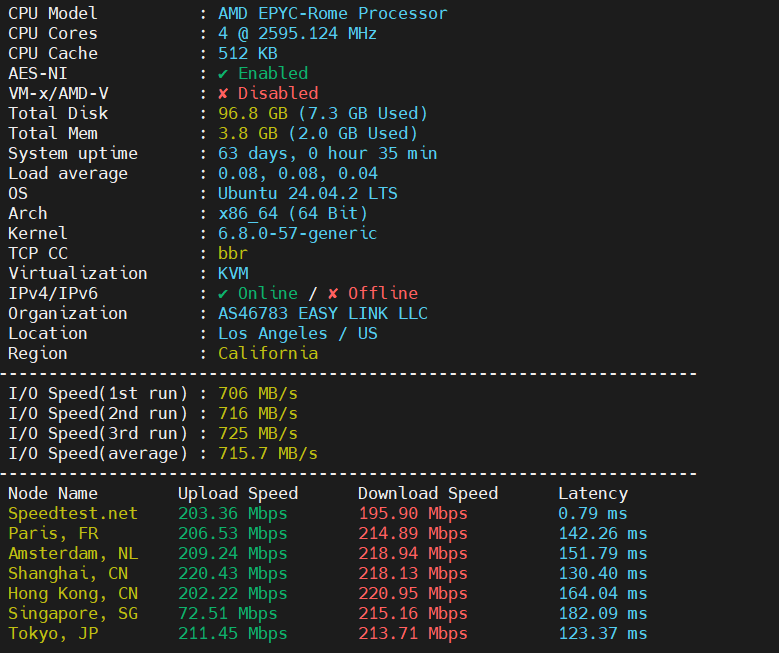
This script was developed by the well-known community expert 秋水逸冰 (Teddysun). It is a highly comprehensive tool that performs Disk I/O testing three times and calculates the average for accuracy. Additionally, it supports IPv6 download speed tests, providing a well-rounded evaluation of your server's capabilities.
wget -qO- bench.sh | bash
或者
curl -Lso- bench.sh | bash
或者
wget -qO- 86.re/bench.sh | bash
或者
curl -so- 86.re/bench.sh | bash
Actual demonstration (for reference only):
3.4 SuperBench.sh
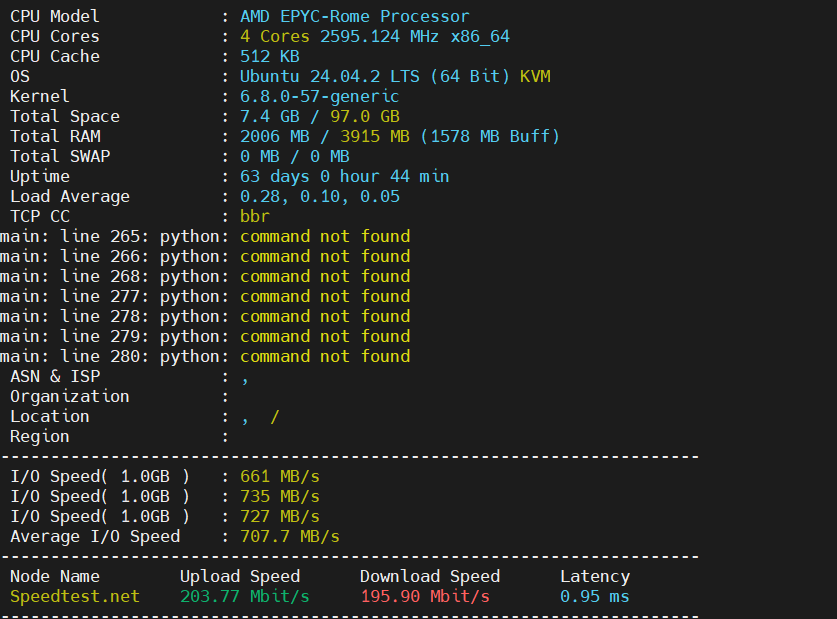
Similar to the script in 3.1, this testing tool was also developed by the expert "Old Ghost" (Lao Gui). It is essentially an enhanced integration of the classic bench.sh script, featuring improved categorization and search capabilities. The output is designed to be more intuitive, providing a direct and clear display of your server's performance metrics.
wget -qO- --no-check-certificate https://raw.githubusercontent.com/oooldking/script/master/superbench.sh | bash
或者
curl -Lso- -no-check-certificate https://raw.githubusercontent.com/oooldking/script/master/superb
Actual demonstration (for reference only):
3.5 Multi-Functional "Fusion" Bench (SpiritTest)
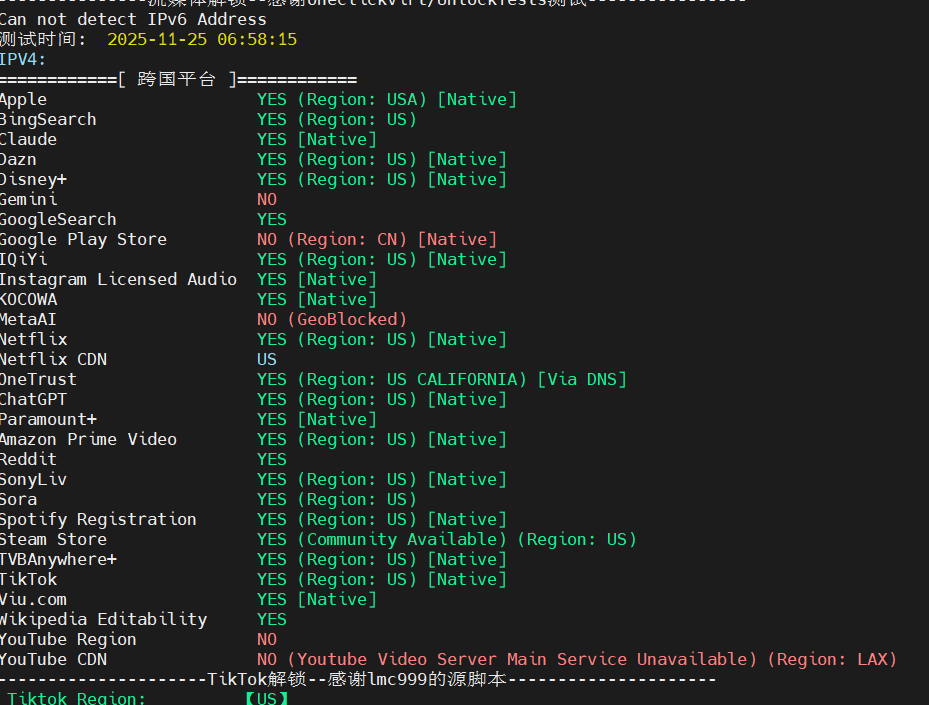
Known in the community as the "Fusion Monster" , this is one of the most comprehensive testing scripts available. Beyond standard hardware benchmarks, its standout features include specialized checks for Streaming Media Unlocking (e.g., Netflix, Disney+), TikTok Region Unlocking, and Port Availability Detection.
curl -L https://gitlab.com/spiritysdx/za/-/raw/main/ecs.sh -o ecs.sh && chmod +x ecs.sh && bash ecs.sh -m 1Actual demonstration (for reference only):
4. Conclusion
The tools listed above are a summary of the testing scripts I personally use and find most effective. If you have other recommendations or better VPS benchmarking tools, please feel free to share them in the comments section!